
A comic book collection inventory setup is the system of cataloging, organizing, and maintaining detailed records of your comics to track titles, issues, conditions, and values. Whether you’ve got a short box of Silver Age keys or a mountain of variant covers filling your spare room, a solid inventory system is what separates a real collection from a pile of comics. Tools like Microsoft Excel templates, the Metron Project, and self-hosted servers like Komga each offer different paths to getting organized. This guide walks you through exactly how to build yours.
What key data fields should you track in your comic book collection inventory setup?
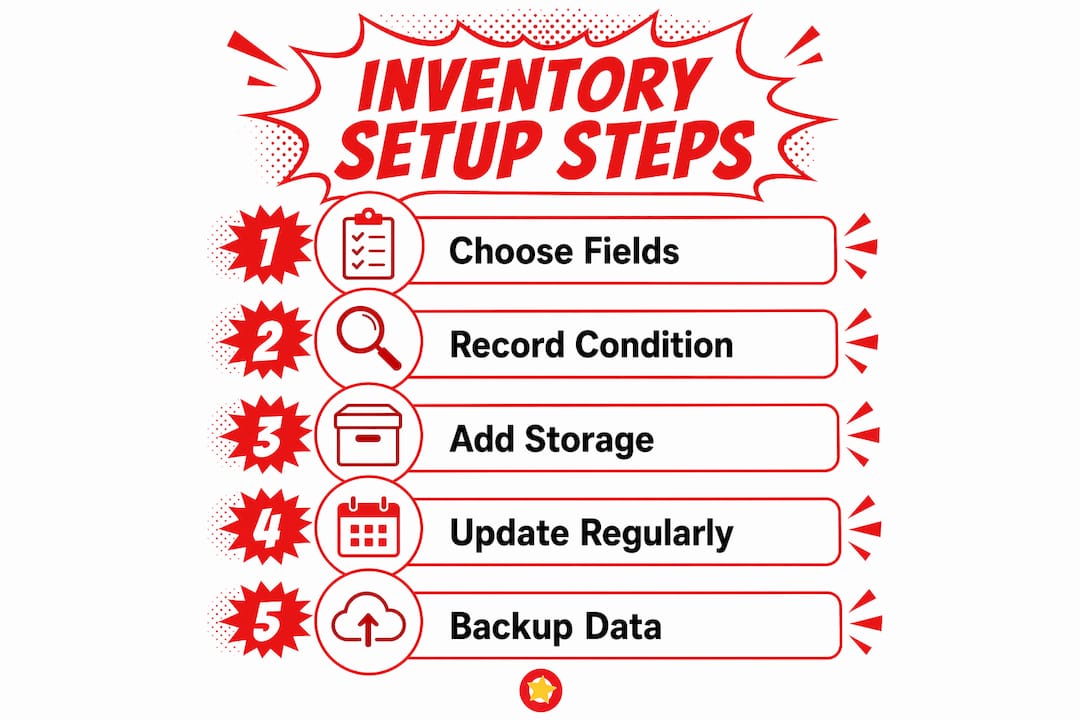
The foundation of any good comic book collection inventory setup is deciding what information to record for each issue. Get this right from the start and everything else gets easier.
A practical inventory schema includes five core fields: title/series, issue number, condition/grade, estimated value, and personal notes. These five fields alone give you enough to track what you own, what it’s worth, and what shape it’s in.
Beyond the basics, several additional fields add serious usefulness as your collection grows:
- Publisher (Marvel, DC, Image, Dark Horse)
- Creator credits (writer, penciler, inker)
- Acquisition details (date purchased, store or source, price paid)
- Storage location (box number, section, shelf)
- Cover type (standard, variant, newsstand)
- Format (raw, CGC slab, CBCS slab)
For a collection under 100 issues, the five core fields are plenty. Once you’re past 300 issues, storage location and acquisition details become genuinely important. You’ll thank yourself later when you’re hunting for that Amazing Spider-Man #300 and can’t remember which box it’s in.
Condition grading deserves its own attention. The standard scale runs from 0.5 (Poor) to 10.0 (Gem Mint), and using it consistently is what makes your inventory actually useful for valuation. If you’re new to grading, check out this collector’s grading guide before you start entering grades. Inconsistent grading is one of the most common reasons inventories become unreliable over time.
Pro Tip: Add a “last updated” column to your inventory. It tells you at a glance which entries need a condition or value review, especially after a move or a storage incident.
What are the best practices for organizing physical comics during inventory setup?
Physical organization and your digital catalog have to work together. If your boxes are a mess, your inventory is useless no matter how detailed it is.
Here’s a numbered approach that works for collections of any size:
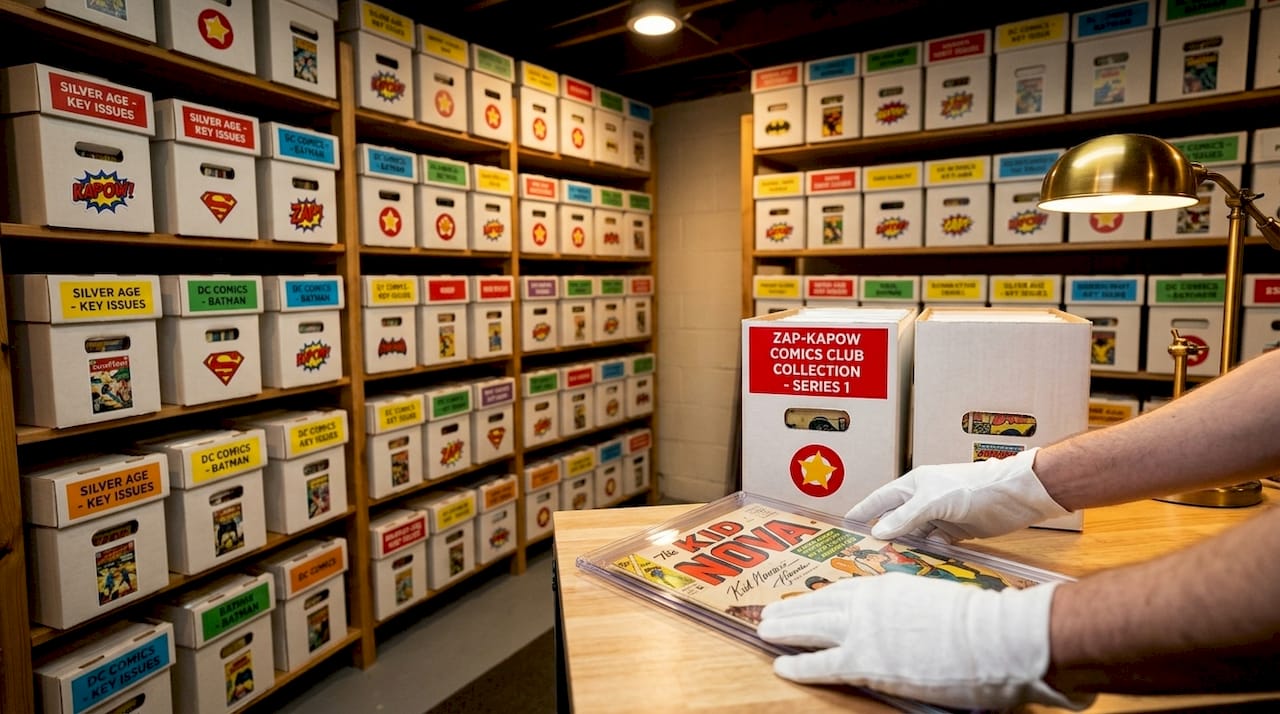
- Choose your box type. Short boxes hold around 150 comics and are easier to carry and sort through. Long boxes hold around 250 but get heavy fast and are harder to manage on shelves. For most collectors, short boxes win on practicality.
- Bag and board every issue. Mylar bags (technically Biophan or Melinex) offer superior long-term protection compared to standard polyethylene bags. Pair them with full-size backing boards to prevent spine stress and corner bending.
- Control your environment. Comics should be stored at 65 to 70°F with 45 to 50% relative humidity and zero UV exposure. Basements and attics are the two worst places for long-term storage because both environments fluctuate wildly.
- Elevate boxes off concrete floors. Concrete wicks moisture. Even a few inches of clearance on a wooden shelf or pallet makes a real difference.
- Label every box clearly. Use a label that shows the series range inside (e.g., “X-Men #1 to #75, Box 3 of 5”). This mirrors your inventory rows to your physical layout, which reduces handling and damage when you’re searching for a specific issue.
- Store slabs separately. CGC and CBCS slabs have different storage needs than raw comics. They don’t fit standard bags and boards, and stacking them incorrectly can crack the case. Many collectors track slabs and raw comics separately in their inventory, using serial numbers and certified grades as distinct fields.
Condition protection is inseparable from inventory usefulness. A poor storage environment can degrade your comics even when your records are perfectly accurate, making condition grades obsolete fast.
For signed copies, store them flat in a top-loader or hard case rather than bagged and boarded. Pressure from a backing board can smear certain ink types over time.
Pro Tip: Take a photo of the front and back of each box label and store those photos in a dedicated folder on your phone or cloud drive. It’s a fast visual index when you’re away from home and need to check what’s in storage.
How can you use digital tools to manage your comic book inventory?
Digital tools turn a static list into a living catalog. The right choice depends on your collection size, technical comfort level, and whether you collect physical comics, digital files, or both.
Here’s how the main options compare:
| Tool | Best For | Key Strength | Limitation |
|---|---|---|---|
| Excel/Google Sheets templates | Small to mid-size collections | Full customization, no cost | Manual entry, no auto-pricing |
| Metron Project | Mid to large physical collections | Bulk import, location tagging, duplicate detection | Requires setup time |
| Komga | Digital comic file libraries | Auto-metadata, cover art, OPDS feeds | Physical comics need manual entry |
| Zap-Kapow Comics Club | Price tracking and collection management | Live pricing, graded and raw values | Focused on value tracking |
Excel templates are the entry point for most collectors. A well-structured spreadsheet with the five core fields gets you organized fast, and you can add columns as your needs grow. The downside is that everything is manual. There’s no auto-fill, no duplicate detection, and no market pricing built in.
The Metron Project takes things further. It supports bulk add by series, duplicate detection, and storage location tagging, which cuts entry time significantly for large collections. You can log purchase info, grading details, and even parallel metadata paths for slabs with their CGC serial numbers. For collectors managing 500 or more issues, this kind of structure pays off fast.
Komga is a different beast. It’s a self-hosted comic server built for digital files, and a Docker-based Komga setup takes about 15 minutes to get running. It pulls metadata and cover art automatically, which is great for digital libraries. The catch is that folder configuration errors cause most setup failures, not data problems. Get your bind mounts and folder permissions right before you start scanning.
For collectors who want to go deeper on the spreadsheet vs. platform debate, this breakdown of why platforms beat spreadsheets is worth reading before you commit to a system.
Pro Tip: Whatever tool you use, export a backup of your full inventory at least once a month. A corrupted file or a server going offline can wipe months of data entry in seconds.
What common mistakes will wreck your inventory over time?
Even a well-built inventory system falls apart without consistent habits. Here are the mistakes that kill collections management over the long term:
- Skipping updates after acquisitions. Every new purchase that doesn’t get logged immediately creates a backlog. Backlogs become overwhelming. Overwhelming becomes “I’ll do it later.” Later becomes never.
- Overpacking boxes. Cramming comics too tightly into a box causes spine stress and corner damage. It also makes retrieval harder, which means more handling, which means more damage. Leave a few inches of space in every box.
- Inconsistent condition grading. Grading the same issue as VF/NM one month and NM the next makes your estimated values meaningless. Use a step-by-step grading guide and apply it the same way every time.
- Ignoring environmental changes. A basement that was dry last year might not be dry this year. Check temperature and humidity readings seasonally, especially after heavy rain or extreme weather.
- Never updating estimated values. The market moves. A key issue that was worth $80 two years ago might be worth $300 today, or $40. Cross-reference your inventory against current pricing guides at least twice a year.
- No photos or notes for notable issues. For high-value books, a photo of the actual copy (not stock art) and a note about any specific flaws or signatures is worth its weight in gold if you ever need to file an insurance claim or sell the book.
The best inventory system is one you actually maintain. Build habits around it: log new purchases the same day, do a quarterly condition review, and back up your digital records to at least two locations.
Key takeaways
A well-maintained comic book collection inventory setup combines accurate data fields, proper physical storage, and the right digital tools to protect both condition and value over time.
| Point | Details |
|---|---|
| Start with five core fields | Track title, issue number, condition, estimated value, and notes as your baseline schema. |
| Match physical storage to your catalog | Label boxes with issue ranges and mirror your inventory rows to your physical layout to cut retrieval time. |
| Choose tools that fit your scale | Excel works for small collections; Metron Project and Komga suit larger or more complex setups. |
| Separate slabs from raw comics | Use serial numbers and certified grades as distinct fields to keep condition tracking accurate. |
| Update regularly or the system fails | Log new acquisitions immediately and refresh estimated values at least twice a year against current market data. |
Our take on combining preservation and smart cataloging
We’ve seen collectors with immaculate spreadsheets and comics stored in a humid garage. The spreadsheet data is useless because the books have degraded. Condition protection and inventory accuracy are not separate projects. They’re the same project.
The collectors who get the most out of their systems are the ones who treat physical preservation and digital cataloging as two sides of the same coin. Good storage habits keep your grades honest. Honest grades make your estimated values reliable. Reliable values make your collection actually manageable as an asset.
We’d also push back on the idea that you need a perfect system before you start. A basic spreadsheet with five fields, updated consistently, beats a sophisticated platform that never gets filled in. Start simple. Add complexity when the collection demands it. And tailor your setup to your actual goals, whether that’s insurance documentation, resale tracking, or just knowing where your Uncanny X-Men run is hiding.
The community side matters too. Being part of a collector club gives you access to pricing data, grading discussions, and people who’ve already solved the problems you’re running into. That context makes every part of your inventory setup smarter.
How Zap-Kapow Comics Club helps with your collection
Ready to take your collection tracking to the next level? Zap-Kapow Comics Club is built for exactly this.
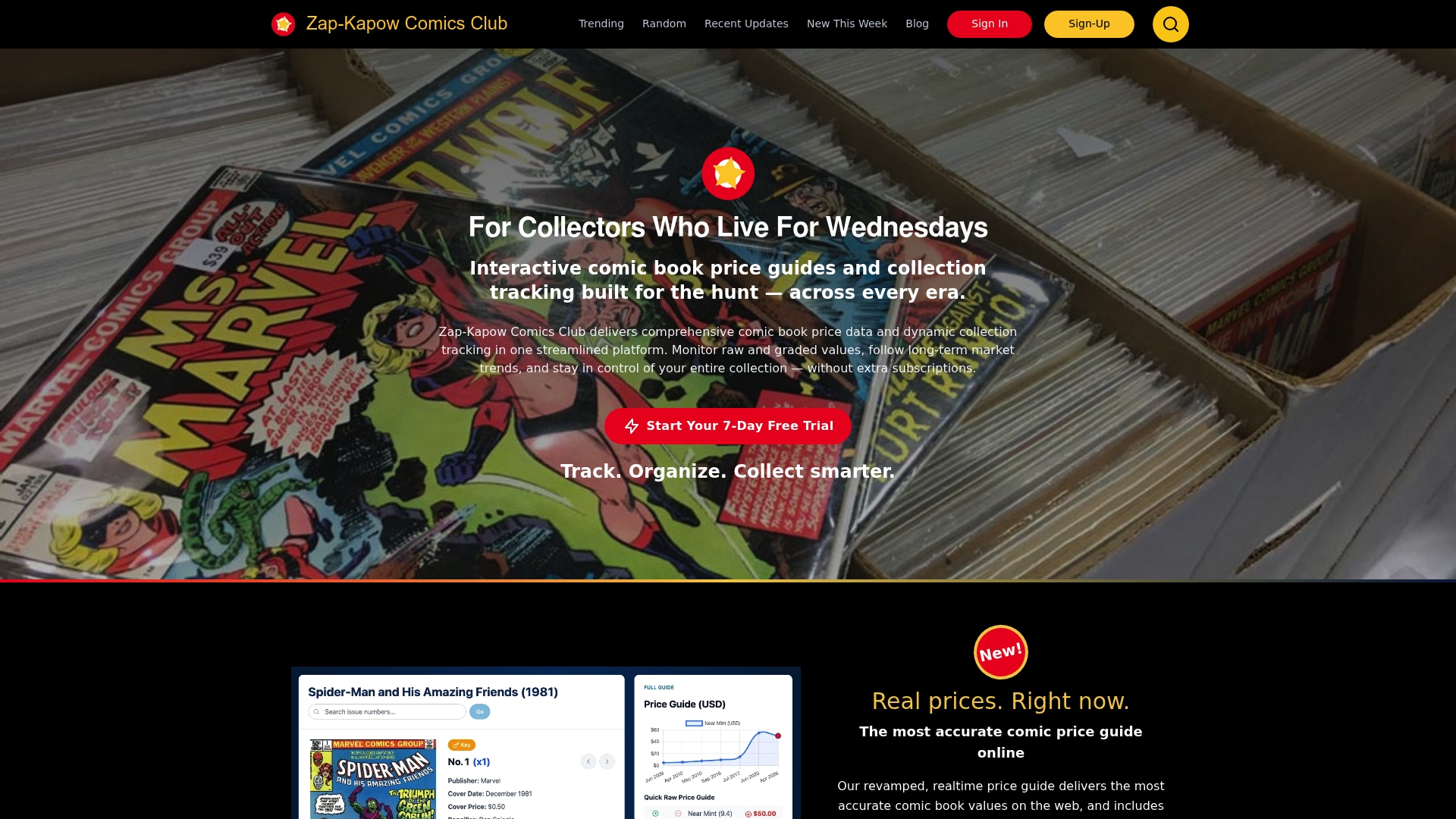
The platform combines live comic book price data with dynamic collection tracking in one place. You can monitor raw and graded values side by side, follow long-term market trends, and keep your full catalog organized without juggling multiple subscriptions or tools. Want to see how detailed issue-level tracking looks in practice? Check out the X-Force 1991 series page as a live example of what the platform delivers. For collectors who want to stay on top of what the market is doing right now, the trending titles page is updated regularly with current pricing movement.
FAQ
What is a comic book collection inventory setup?
A comic book collection inventory setup is a structured system for cataloging your comics by title, issue number, condition, value, and storage location. It gives collectors a complete, searchable record of everything they own.
What data fields should I include in my comic book inventory?
The core fields are title/series, issue number, condition/grade, estimated value, and notes. Adding storage location, publisher, and acquisition details makes the inventory significantly more useful as your collection grows.
What is the best digital tool for comic book inventory management?
The best tool depends on your collection size. Excel templates work well for smaller collections, while the Metron Project suits larger physical collections with its bulk import and location tagging features. Komga is the top choice for managing digital comic files.
How often should I update my comic book inventory?
Log new acquisitions the same day you get them and review estimated values at least twice a year. Condition grades should be re-checked after any move or storage environment change.
Do I need to track slabs and raw comics separately?
Yes. Slabs carry CGC or CBCS serial numbers and certified grades that differ from raw condition assessments. Tracking them as separate entries with their own metadata keeps your condition data accurate and your valuations reliable.
Recommended
- Comic Book Collecting 101: How to Start Your Collection (10 Essential Tips for New Collectors) - Zap-Kapow Comics Blog
- Comic Collection Insurance Appraisal: A Collector’s Guide - Zap-Kapow Comics Blog
- Best Ways To Organize Your Comic Book Collection - Zap-Kapow Comics Blog
- Comic Book Tax Implications Explained for Collectors - Zap-Kapow Comics Blog